

NetBox 是用于建模和记录现代网络的领先解决方案。由 结合 IP 地址管理 ( IPAM ) 的传统学科和 具有强大 API 和扩展的数据中心基础架构管理 ( DCIM ),NetBox 为推动网络自动化提供了理想的“事实来源”。NetBox 在 Apache 2.0 许可下作为开源软件提供 作为数千个组织中网络自动化的基石。
个人博客 (V2EX 有字数限制,删减了一部分内容,比如汉化)
知乎
https://zhuanlan.zhihu.com/p/644726134
安装环境介绍
使用 Rocky Linux 9.2 (关闭 SE Linux 和防火墙)
使用 Python 3.9
使用 PostgreSQL 15
使用 Redis 6
NetBox 版本:3.5.6
硬件配置:建议 4C8G 以上,100G 存储空间。
PS:没有使用 Docker 安装是为了方便修改代码。用 Docker 会更简单些。
安装和配置 PostgreSQL 数据库
关闭 SE Linux 和防火墙
systemctl disable --now firewalld sed -i 's/^SELINUX=enforcing$/SELINUX=disabled/' /etc/selinux/config && setenforce 0 dnf install tree vim bash-completion -y 安装数据库
dnf module install postgresql:15 -y # 指定安装 15 版本 postgresql-setup --initdb # 初始化数据库 vim /var/lib/pgsql/data/pg_hba.conf # "local" is for Unix domain socket connections only local all all peer # IPv4 local connections: host all all 127.0.0.1/32 scram-sha-256 # IPv6 local connections: host all all ::1/128 scram-sha-256 # 将主机连接的加密方式将 ident 改为 scram-sha-256 即可。 systemctl enable --now postgresql # 启动并设置开机启动 systemctl status postgresql ss -an | grep 5432 # 查看是否正常启动 修改密码和创建数据库
sudo -u postgres psql # 登录到 PostgreSQL shell ALTER USER postgres WITH PASSWORD 'Songxwn.com'; # 运行查询,为默认的 PostgreSQL 用户“postgres”设置新密码。 CREATE DATABASE netboxdb; # 创建数据库 quit # 退出 PS: 优化配置生成器:https://pgtune.leopard.in.ua/
安装和配置 Redis
深入配置可以参考:https://songxwn.com/redis-sentinel/
dnf install redis -y 配置访问密码
vim /etc/redis/redis.conf requirepass Songxwn.com # 打开配置文件,找到被注释的 requirepass 行,修改密码为 Songxwn.com 。保存文件并退出 配置启动并验证
systemctl enable --now redis # 配置启动并开机启动 systemctl status redis ss -an | grep 6379 # 验证启动 redis-cli 127.0.0.1:6379> AUTH Songxwn.com OK 127.0.0.1:6379> ping PONG 127.0.0.1:6379> exit # 输入密码登录验证是否正常 安装 Netbox
环境准备
dnf install gcc libxml2-devel libxslt-devel libffi-devel libpq-devel openssl-devel redhat-rpm-config git -y # 安装环境,系统默认有 Python3.9 useradd -r -d /opt/netbox -s /usr/sbin/nologin netbox # 创建 netbox 用户 mkdir -p /opt/netbox; cd /opt/netbox # 创建 netbox 所属权限的文件,作为安装主文件夹。并 CD 过去。 git clone -b master --depth 1 https://github.com/netbox-community/netbox.git . # 下载最新源代码,如果网络不允许,可以手动下载,上传到服务器。 chown -R netbox:netbox /opt/netbox cd /opt/netbox/netbox/netbox # 配置 netbox 文件夹权限所属。 tree -L 3 /opt/ /opt/ └── netbox ├── base_requirements.txt ├── CHANGELOG.md ├── contrib │ ├── apache.conf │ ├── gunicorn.py │ ├── netbox-housekeeping.service │ ├── netbox-housekeeping.sh │ ├── netbox-housekeeping.timer │ ├── netbox-rq.service │ ├── netbox.service │ ├── nginx.conf │ ├── openapi2.json │ └── openapi2.yaml ├── CONTRIBUTING.md ├── docs │ ├── administration │ ├── configuration │ ├── customization │ ├── development │ ├── extra.css │ ├── features │ ├── getting-started │ ├── index.md │ ├── installation │ ├── integrations │ ├── introduction.md │ ├── media │ ├── models │ ├── netbox_logo.png │ ├── netbox_logo.svg │ ├── plugins │ ├── reference │ ├── release-notes │ └── _theme ├── LICENSE.txt ├── mkdocs.yml ├── netbox │ ├── circuits │ ├── core │ ├── dcim │ ├── extras │ ├── generate_secret_key.py │ ├── ipam │ ├── manage.py │ ├── media │ ├── netbox │ ├── project-static │ ├── reports │ ├── scripts │ ├── templates │ ├── tenancy │ ├── users │ ├── utilities │ ├── virtualization │ └── wireless ├── NOTICE ├── pyproject.toml ├── README.md ├── requirements.txt ├── scripts │ ├── git-hooks │ └── verify-bundles.sh ├── SECURITY.md └── upgrade.sh # 查看当前目录结构 生成并配置加密密钥
cd /opt/netbox/netbox/netbox # 确保进入到此目录 sudo -u netbox cp configuration_example.py configuration.py # 创建配置文件,指定用户权限 sudo -u netbox python3 ../generate_secret_key.py # 生成密钥,生成的密钥示例:SOGo0)YKa^RMGs&b=4p1AtnB-5nZq(!N#2-cah$q972DPCf&%F sudo -u netbox vim configuration.py SECRET_KEY = 'SOGo0)YKa^RMGs&b=4p1AtnB-5nZq(!N#2-cah$q972DPCf&%F' # 打开配置文件,将生成的密钥写入进去。 配置数据库连接等
cd /opt/netbox/netbox/netbox sudo -u netbox vim configuration.py ALLOWED_HOSTS = ["*"] # 代表可以通过任意域名访问 Netbox DATABASE = { 'ENGINE': 'django.db.backends.postgresql', # Database engine 'NAME': 'netboxdb', # 配置数据库名字 'USER': 'postgres', # 数据库用户 'PASSWORD': 'Songxwn.com', # 数据库用户密码 'HOST': 'localhost', # Database server 'PORT': '', # Database port (leave blank for default) 'CONN_MAX_AGE': 300, # Max database connection age } REDIS = { 'tasks': { 'HOST': 'localhost', 'PORT': 6379, 'USERNAME': '', 'PASSWORD': 'Sonxwn.com', #配置数据库密码 'DATABASE': 0, 'SSL': False, }, 'caching': { 'HOST': 'localhost', 'PORT': 6379, 'USERNAME': '', 'PASSWORD': 'Songxwn.com', #配置数据库密码 'DATABASE': 1, 'SSL': False, } } SECRET_KEY = 'SOGo0)YKa^RMGs&b=4p1AtnB-5nZq(!N#2-cah$q972DPCf&%F' # 加密密钥 ENABLE_LOCALIZATION = True # 开启本地化,让一些选项中文。 TIME_ZOnE= 'Asia/Shanghai' # 配置时区 PAGINATE_COUNT = 60 # 配置查看的时候默认分页数量 初始化 python 虚拟环境,初始化数据库,生成静态 Web 。
sed -i 'pip config set global.index-url https://pypi.tuna.tsinghua.edu.cn/simple' /opt/netbox/upgrade.sh # 配置安装环境的时候,使用清华源的 pypi 。(可不配置) sudo -u netbox /opt/netbox/upgrade.sh # 执行安装,需要较久时间。 Completed. Removing expired user sessions (python3 netbox/manage.py clearsessions)... Clearing the cache (python3 netbox/manage.py clearcache)... Cache has been cleared. Upgrade complete! Don't forget to restart the NetBox services: > sudo systemctl restart netbox netbox-rq # 出现以上字符代表成功。 创建管理员账号
source /opt/netbox/venv/bin/activate # 进入虚拟环境 cd /opt/netbox/netbox python3 manage.py createsuperuser Username (leave blank to use 'root'): admin Email address: [email protected] Password: Password (again): Superuser created successfully. # 创建管理员 admin ,输入邮箱和两遍密码。 配置每天定时清理任务
sudo ln -s /opt/netbox/contrib/netbox-housekeeping.sh /etc/cron.daily/netbox-housekeeping 配置 Gunicorn WSGI
Gunicorn 是一个 Python 的 WSGI HTTP 服务器。
sudo -u netbox cp /opt/netbox/contrib/gunicorn.py /opt/netbox/gunicorn.py # 复制创建配置文件 sudo -u netbox vim /opt/netbox/gunicorn.py # 可修改配置文件,更改监听端口,默认 8001 cp -v /opt/netbox/contrib/*.service /etc/systemd/system/ # 复制到系统服务 systemctl daemon-reload # 重新加载系统服务 systemctl enable --now netbox netbox-rq # 配置启动并开机启动 systemctl status netbox systemctl status netbox-rq # 查看状态 配置 Nginx 作为反向代理
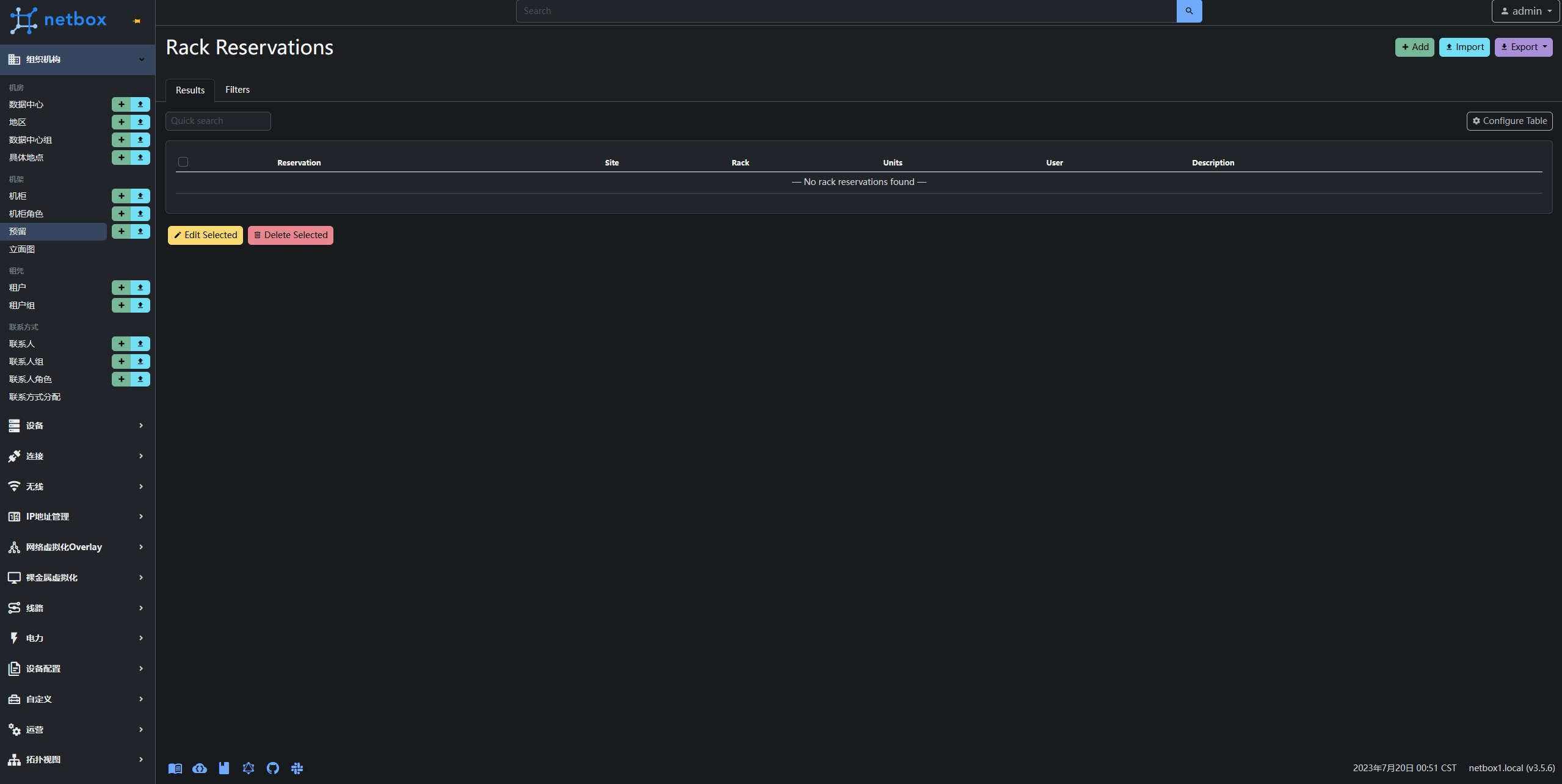
dnf install nginx -y # 安装 Nginx vim /etc/nginx/conf.d/netbox.conf # 创建配置文件,注意修改 netbox.songxwn.com 为自己的域名。反向代理到 8001 端口 server { listen 80; # CHANGE THIS TO YOUR SERVER'S NAME server_name netbox.songxwn.com; client_max_body_size 25m; fastcgi_connect_timeout 1200s; fastcgi_send_timeout 1200s; fastcgi_read_timeout 1200s; fastcgi_buffer_size 64k; fastcgi_buffers 4 64k; fastcgi_busy_buffers_size 128k; fastcgi_temp_file_write_size 256k; location /static/ { alias /opt/netbox/netbox/static/; } location / { proxy_pass http://127.0.0.1:8001; proxy_set_header X-Forwarded-Host $http_host; proxy_set_header X-Real-IP $remote_addr; proxy_set_header X-Forwarded-Proto $scheme; proxy_connect_timeout 600; proxy_send_timeout 600; proxy_read_timeout 600; send_timeout 600; } } systemctl enable --now nginx # 配置启动并开机启动 systemctl status nginx # 查看状态 至此安装完成,可以打开你的域名,输入管理员账号登录。


 Select Language