

这是一个创建于 906 天前的主题,其中的信息可能已经有所发展或是发生改变。
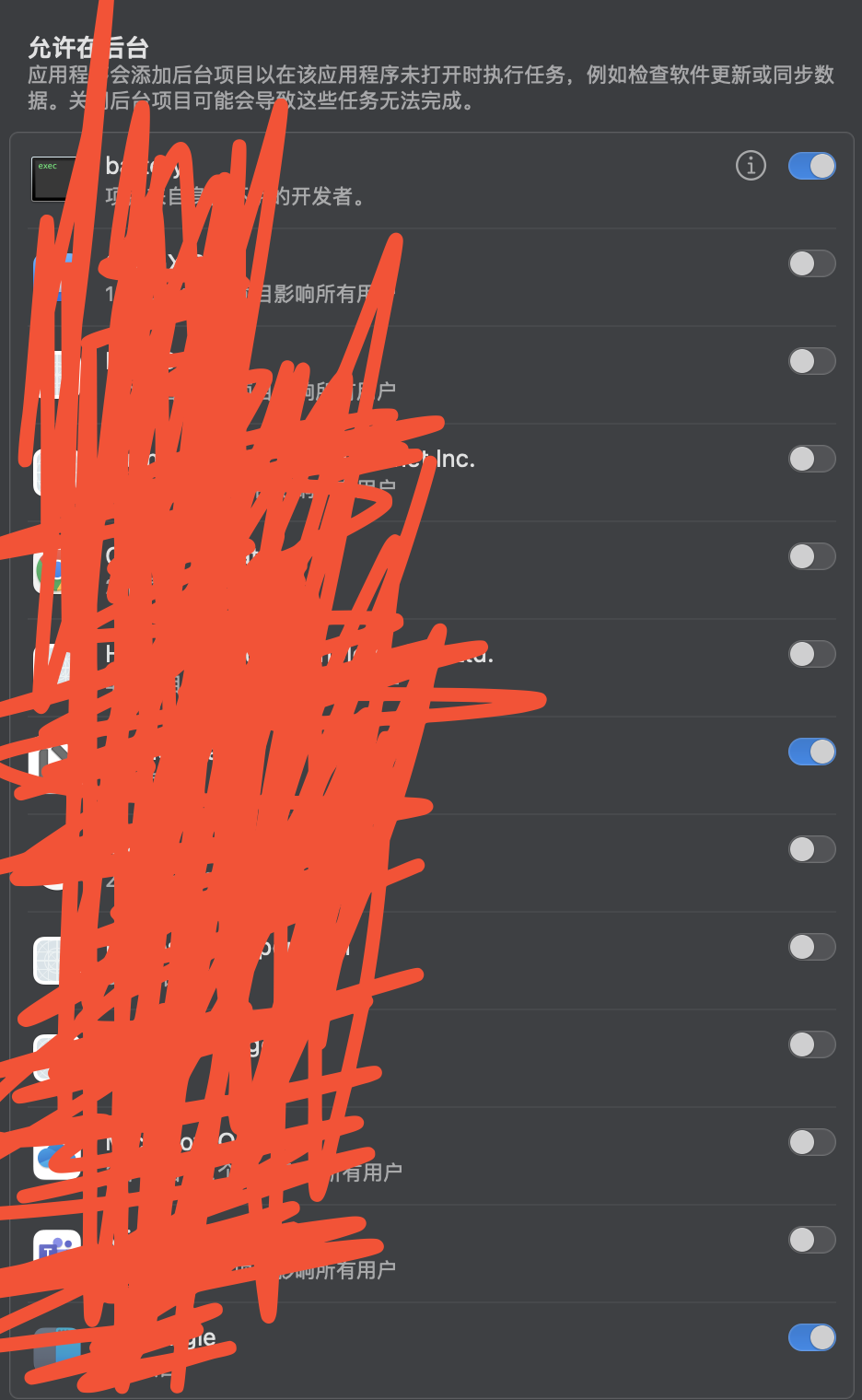
好多的 app 都已经删除了,但是这里还有残留,
请问下,这里的东西如何删除?
 | 1 windorz 2023-07-10 20:13:57 +08:00 打开 Finder, Command + Shift + G, 前往 /Library/LaunchDaemons, 自己看 plist 文件的 id, 找对应的删除就行了. 删除重启电脑. |
 | 2 di11wei 2023-07-10 20:29:47 +08:00 ~/Library/LaunchAgents /System/Library/LaunchAgents/ /System/Library/LaunchDaemons/ /Library/LaunchAgents/ /Library/LaunchDaemons/ |
 | 3 Abmcar 2023-07-11 00:06:45 +08:00  2 2 sudo -- bash -c 'echo " - $(date) -"; while IFS= read -r eachPlist; do echo "-$eachPlist"; /usr/bin/defaults read "$eachPlist"; done <<< "$(/usr/bin/find /Library/LaunchDaemons /Library/LaunchAgents ~/Library/LaunchAgents /private/var/root/Library/LaunchAgents /private/var/root/Library/LaunchDaemons -name "*.plist")"; /usr/bin/defaults read com.apple.loginWindow LogoutHook; /usr/bin/defaults read com.apple.loginWindow LoginHook' > ~/Desktop/launch.txt 列出来搜名字一个一个删吧,这东西确实傻逼,目前来看也没有找到什么好的管理方法 |
 | 4 czhh 2023-07-11 08:19:10 +08:00 1 v 友是我肚里的蛔虫啊 昨天还在想这个问题 今天有答案了 |
 | 5 PierreGasly 2023-07-11 10:34:55 +08:00 via iPhone 删 app 的时候可以用 app cleaner ,这样是否会删得干净些? |
 | 6 xx572959496 2023-07-11 16:50:08 +08:00 之前安装 office 和 edge 的时候 就有这个问题,终于有人提出来了 |
 | 7 justincnn OP @Abmcar 你好,提示如下错误: justin@Justin-MacBook source % sudo -- bash -c 'echo " - $(date) -"; while IFS= read -r eachPlist; do echo "-$eachPlist"; /usr/bin/defaults read "$eachPlist"; done <<< "$(/usr/bin/find /Library/LaunchDaemons /Library/LaunchAgents ~/Library/LaunchAgents /private/var/root/Library/LaunchAgents /private/var/root/Library/LaunchDaemons -name "*.plist")"; /usr/bin/defaults read com.apple.loginWindow LogoutHook; /usr/bin/defaults read com.apple.loginWindow LoginHook' > ~/Desktop/launch.txt Password: find: /private/var/root/Library/LaunchAgents: No such file or directory find: /private/var/root/Library/LaunchDaemons: No such file or directory 2023-07-11 20:05:05.838 defaults[16923:211846] The domain/default pair of (com.apple.loginWindow, LogoutHook) does not exist 2023-07-11 20:05:05.845 defaults[16924:211849] The domain/default pair of (com.apple.loginWindow, LoginHook) does not exist |
 | 8 BlackkCCCat 2023-07-11 21:13:56 +08:00 @PierreGasly app cleaner 似乎也不行,不过用 clean my Mac 倒是有用 |
 | 9 baozreal 2023-07-11 23:01:11 +08:00 软件 App Cleaner&Uninstaller 里,启动程序一栏可以找到移除 |
 | 10 ihwbunny 2023-07-14 10:15:15 +08:00 这个命令来自 b 站视频:macOS Ventura - 深入了解登录项 (3) 另外还可以用另外一个系统命令,参考 b 站:macOS Ventura - 深入了解登录项(5) 还有参考苹果社区的帖子,比如: https://discussionschinese.apple.com/thread/254814786?cid=em-com-apple_email_question_correctanswer_258973471322_zh-cn&answerId=258973471322#258973471322 |
| 11 ihwbunny 2023-07-14 10:40:55 +08:00 @justincnn 有错误提示正常,主要是看~/Desktop/launch.txt 文件的内容, 参考苹果社区的帖子,比如: https://discussionschinese.apple.com/thread/254814786?cid=em-com-apple_email_question_correctanswer_258973471322_zh-cn&answerId=258973471322#258973471322 |
 Select Language