

这是一个创建于 1179 天前的主题,其中的信息可能已经有所发展或是发生改变。
lib
效果图
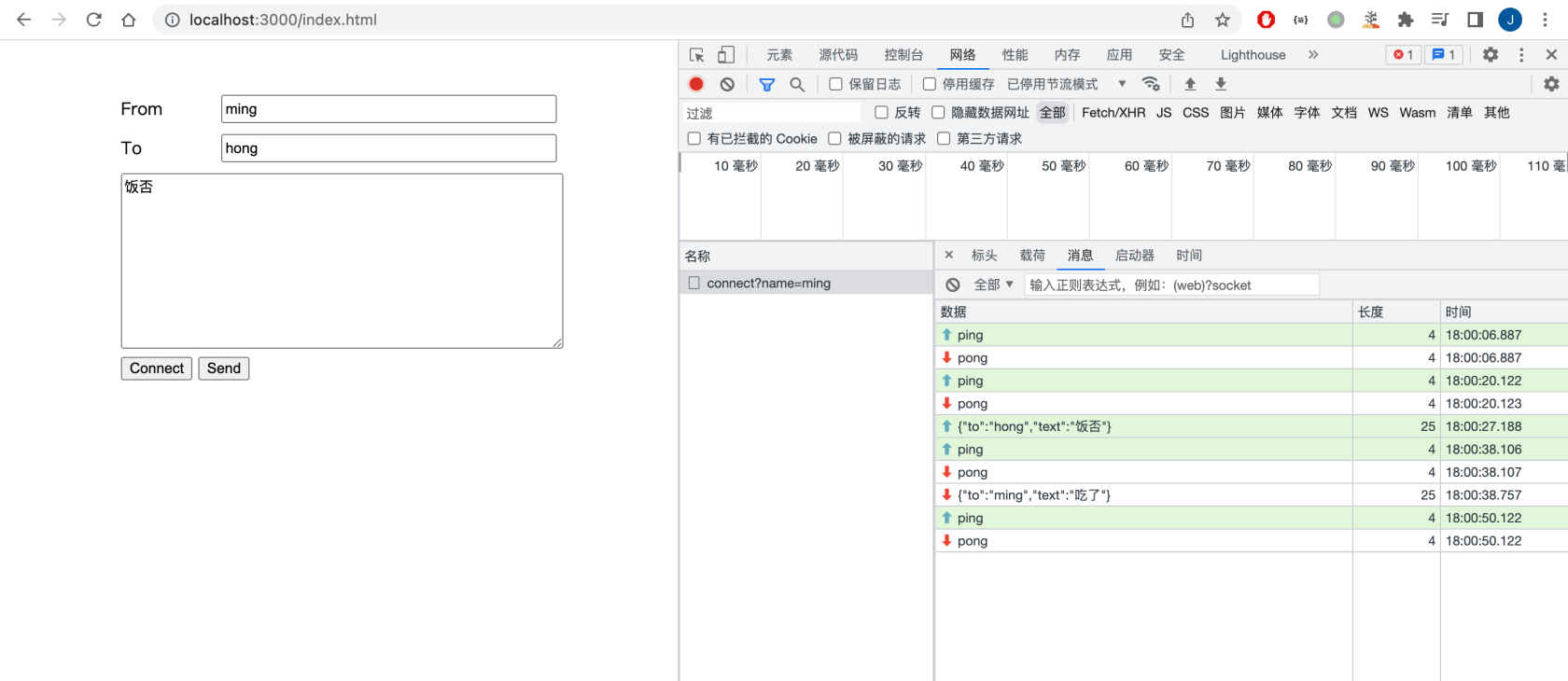
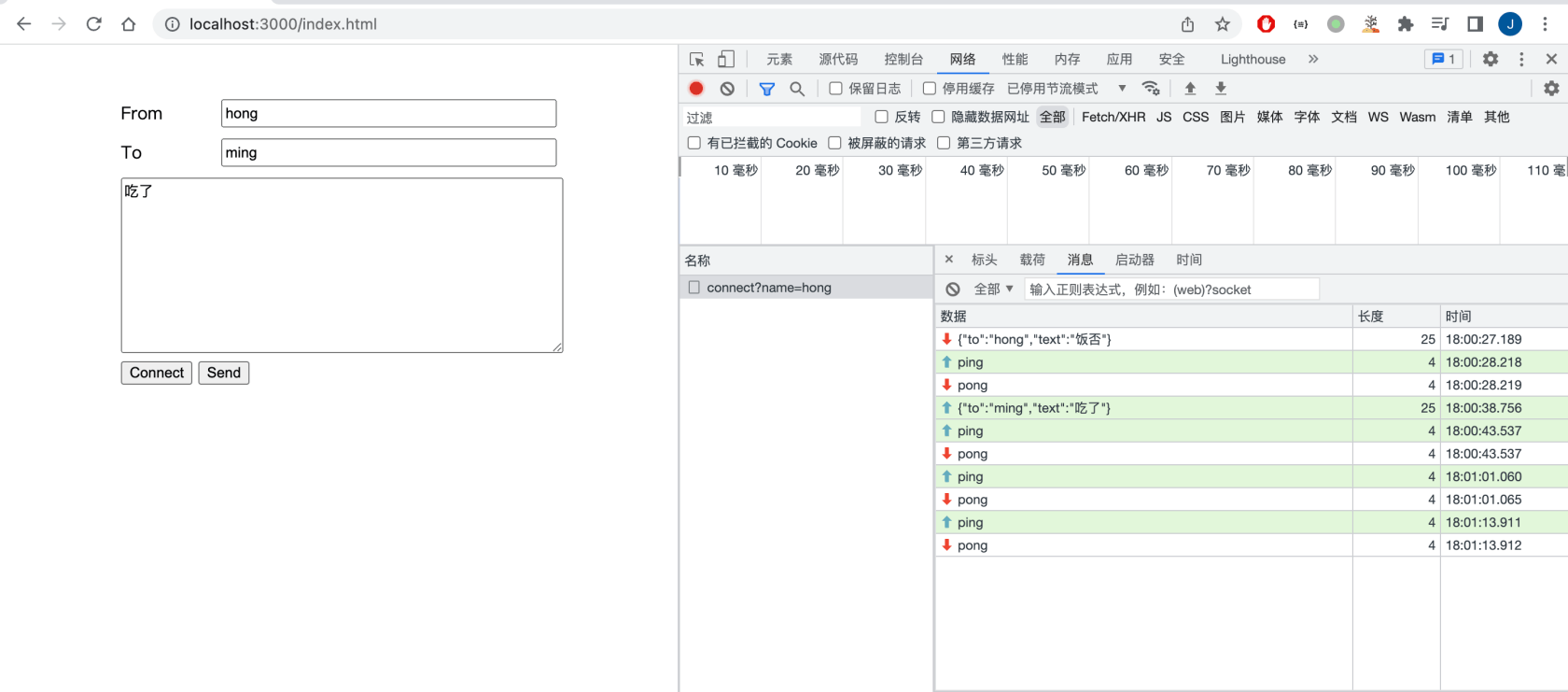
服务端 main.go
package main import ( _ "embed" "encoding/json" "github.com/lxzan/gws" "log" "net/http" "time" ) const PingInterval = 15 * time.Second // 客户端心跳间隔 //go:embed index.html var html []byte func main() { var handler = NewWebSocket() var upgrader = gws.NewUpgrader(func(c *gws.Upgrader) { c.CompressEnabled = true c.EventHandler = handler // 在 querystring 里面传入用户名 // 把 Sec-WebSocket-Key 作为连接的 key // 刷新页面的时候, 会触发上一个连接的 OnClose/OnError 事件, 这时候需要对比 key 并删除 map 里存储的连接 c.CheckOrigin = func(r *gws.Request) bool { var name = r.URL.Query().Get("name") if name == "" { return false } r.SessionStorage.Store("name", name) r.SessionStorage.Store("key", r.Header.Get("Sec-WebSocket-Key")) return true } }) http.HandleFunc("/connect", func(writer http.ResponseWriter, request *http.Request) { socket, err := upgrader.Accept(writer, request) if err != nil { log.Printf("Accept: " + err.Error()) return } socket.Listen() }) http.HandleFunc("/index.html", func(writer http.ResponseWriter, request *http.Request) { _, _ = writer.Write(html) }) if err := http.ListenAndServe(":3000", nil); err != nil { log.Fatalf("%+v", err) } } func NewWebSocket() *WebSocket { return &WebSocket{sessions: gws.NewConcurrentMap(16)} } type WebSocket struct { sessions *gws.ConcurrentMap // 使用内置的 ConcurrentMap 存储连接, 可以减少锁冲突 } func (c *WebSocket) getName(socket *gws.Conn) string { name, _ := socket.SessionStorage.Load("name") return name.(string) } func (c *WebSocket) getKey(socket *gws.Conn) string { name, _ := socket.SessionStorage.Load("key") return name.(string) } // 根据用户名获取 WebSocket 连接 func (c *WebSocket) GetSocket(name string) (*gws.Conn, bool) { if v0, ok0 := c.sessions.Load(name); ok0 { if v1, ok1 := v0.(*gws.Conn); ok1 { return v1, true } } return nil, false } // RemoveSocket 移除 WebSocket 连接 func (c *WebSocket) RemoveSocket(socket *gws.Conn) { name := c.getName(socket) key := c.getKey(socket) if mSocket, ok := c.GetSocket(name); ok { if mKey := c.getKey(mSocket); mKey == key { c.sessions.Delete(name) } } } func (c *WebSocket) OnOpen(socket *gws.Conn) { name := c.getName(socket) if v, ok := c.sessions.Load(name); ok { var cOnn= v.(*gws.Conn) conn.Close(1000, []byte("connection replaced")) } socket.SetDeadline(time.Now().Add(3 * PingInterval)) c.sessions.Store(name, socket) log.Printf("%s connected\n", name) } func (c *WebSocket) OnError(socket *gws.Conn, err error) { name := c.getName(socket) c.RemoveSocket(socket) log.Printf("onerror, name=%s, msg=%s\n", name, err.Error()) } func (c *WebSocket) OnClose(socket *gws.Conn, code uint16, reason []byte) { name := c.getName(socket) c.RemoveSocket(socket) log.Printf("onclose, name=%s, code=%d, msg=%s\n", name, code, string(reason)) } func (c *WebSocket) OnPing(socket *gws.Conn, payload []byte) {} func (c *WebSocket) OnPong(socket *gws.Conn, payload []byte) {} type Input struct { To string `json:"to"` Text string `json:"text"` } func (c *WebSocket) OnMessage(socket *gws.Conn, message *gws.Message) { defer message.Close() // chrome websocket 不支持 ping 方法, 所以在 text frame 里面模拟 ping if b := message.Bytes(); len(b) == 4 && string(b) == "ping" { socket.WriteMessage(gws.OpcodeText, []byte("pong")) socket.SetDeadline(time.Now().Add(3 * PingInterval)) return } var input = &Input{} _ = json.Unmarshal(message.Bytes(), input) if v, ok := c.sessions.Load(input.To); ok { v.(*gws.Conn).WriteMessage(gws.OpcodeText, message.Bytes()) } } 客户端 index.html
<!DOCTYPE html> <html lang="en"> <head> <meta charset="UTF-8"> <title>ChatRoom</title> <style> #app { width: 400px; margin: 50px auto 0; } .form { margin: 10px auto; } #app input { width: 300px; height: 20px; float: right; } #app span { height: 26px; line-height: 26px; } textarea { width: 400px; } </style> </head> <body> <div id="app"> <div class="form"><span>From</span> <input type="text" id="from"></div> <div class="form"><span>To</span> <input type="text" id="to"></div> <div><textarea id="text" cols="30" rows="10"></textarea></div> <button Onclick="connect()">Connect</button> <button Onclick="send()">Send</button> </div> <script> function connect() { let from = document.getElementById("from").value; window.ws = new WebSocket(`ws://127.0.0.1:3000/connect?name=${from}`); window.ws.Onclose= function (event) { console.log(event); } if (window.interval !== undefined) { clearInterval(window.interval) } window.interval = setInterval(function () { window.ws.send("ping"); }, 15 * 1000) } function send() { let to = document.getElementById("to").value; let text = document.getElementById("text").value; ws.send(JSON.stringify({to, text})); } </script> </body> </html>  | 1 puzzle9 2023 年 1 月 30 日 那啥 我不知道这个应该怎么形容 祝你新年快乐 start 多多 |

 | 3 maocat 2023 年 1 月 31 日 那啥,让我先学下 gws 这个包 |
 | 4 Ranying 2023 年 1 月 31 日 客户端 ws 断开连接没有明显提示信息,没有看到 ws 的 onmessage 方法。 |
 | 7 lizhenda 2023 年 1 月 31 日 API 清晰,不过 ping pong 是不是反过来了? |

 | 10 quicksand 2023 年 1 月 31 日 最近正好在看 go ,学习一下 |
 Select Language