

这是一个创建于 2322 天前的主题,其中的信息可能已经有所发展或是发生改变。
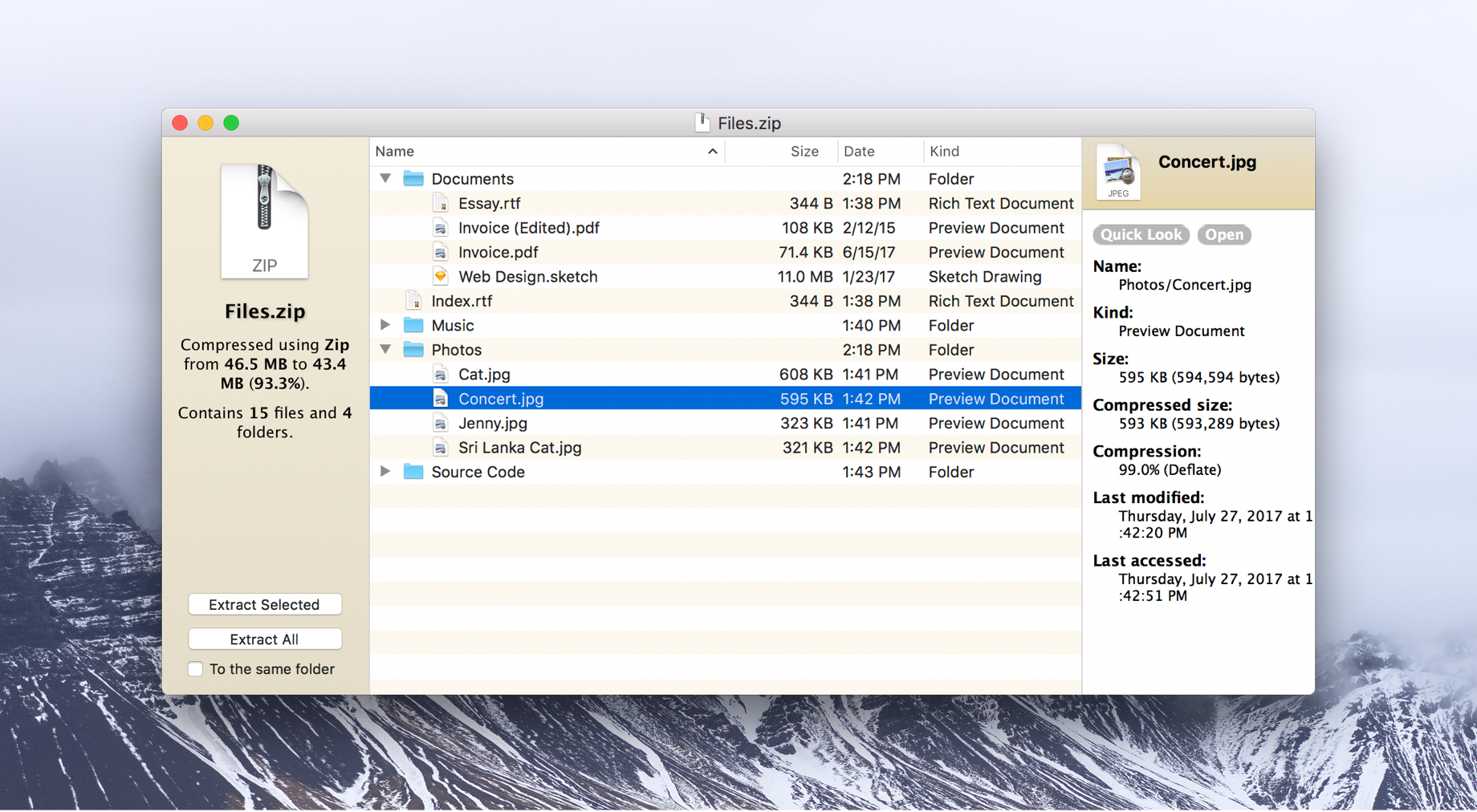
- https://theunarchiver.com/archive-browser
- 一直用"The Archive Browser",但很久没出新版了,今天试了个 rar 文件,发现解压时个别文件会出错
- 1.11.2, 2017.08
- https://theunarchiver.com/command-line
- 用这个命令
unar的话,没任何问题(虽然暂时不知道如何只解压指定的文件) - unar v1.10.1 (May 19 2016) /233 也很久没出新版了
- 用这个命令
第 1 条附言 2019 年 12 月 17 日
- BetterZip 之前用过,功能很多,带压缩。不过现在电脑里没安装就暂时不管了
- 发个帖子来了解下有哪些新的,没听过的软件~
第 2 条附言 2020 年 8 月 1 日
解压指定的文件 Usage: unar [options] archive [files ...]
 | 1 zxhhh 2019 年 12 月 17 日  1 1 现在用的 eZip 还可以 |
 | 2 huaxianyan 2019 年 12 月 17 日 1 eZip+1,很好用 |
 | 3 Geekgogo 2019 年 12 月 17 日 1 ezip 和 keka 都不错 |
 | 4 amwyyyy 2019 年 12 月 17 日 1 我用 ezip |
 | 6 edsion996 2019 年 12 月 17 日 如果只是查看,( macOS )可以用 view 这个命令 |
 | 8 coolcoffee 2019 年 12 月 17 日 Bandizip 需要付费。。。 |
 | 9 vokins 2019 年 12 月 17 日 the archiver?? |
 | 10 zwater 2019 年 12 月 17 日 bandizip,贵点是贵一点,但是买完以后的省心了,没有任何糟心的问题。 |
 | 11 jevonszmx 2019 年 12 月 17 日 |
 | 12 vitalis 2019 年 12 月 17 日 可以试试 eZip,我是作者。一年前曾在 V2 发过帖子 t/531141,目前已经迭代到 1.8.1 了。eZip 支持预览,拖拽解压等功能,并且承诺永久免费。 |
 | 13 lxk11153 OP @vitalis #12 比如去创建一个文件 ```bash > zip -cz n16068.zip n16068.png adding: n16068.png (deflated 1%) Enter comment for n16068.png: entry-comment enter new zip file comment (end with .): archive-comment . ``` 1. "The Archive Browser" 的界面是,左侧这个压缩文件的信息(可以看到 archive-comment,多行),右侧选中文件的信息(可以看到 entry-comment,单行),中间是列表(通过空格 quicklook ) 2. "eZip"的界面分两栏,左侧是列表,右侧是预览 2.1 比如我不想要预览,没看到哪里可以关闭预览栏 2.2 没法看到 comment 信息(虽然我当时是不关注 comment 的) |
| 14 lxk11153 OP 2.1 比如我不想要预览,没看到哪里可以关闭预览栏(即使我设置里预览全关) 2.2 没法看到 comment 信息(虽然我当前是不关注 comment 的) |
 | 15 fairytale110 2019 年 12 月 18 日 ezip |

 | 18 ubuntuGary 2019 年 12 月 23 日 @vitalis 作者你好,我想问一下:通过“显示简介”设置 zip 文件的打开方式为 eZip 后,图标不用显示为 eZip 的 zip 图标,而是空白文件中间一个 eZip 的 logo,不美观,这怎么解决? |
| 19 vitalis 2019 年 12 月 23 日 @ubuntuGary 这是 10.15 系统上的问题,目前还没有解决方案。 |
 | 20 zw2019 2019 年 12 月 23 日 keka 免费的 https://www.keka.io/en/ |
 | 22 chavyleung 2019 年 12 月 25 日 setapp 下的 betterzip |
 Select Language