
V2EX = way to explore V2EX 是一个关于分享和探索的地方
Sign Up Now For Existing Member Sign In
推荐学习书目 Learn Python the Hard Way Python Sites PyPI - Python Package Index http://diveintopython.org/toc/index.html Pocoo 值得关注的项目 div class="sep5">
PyPy Celery Jinja2 Read the Docs gevent pyenv virtualenv Stackless Python Beautiful Soup 结巴中文分词 Green Unicorn Sentry Shovel Pyflakes pytest Python 编程 pep8 Checker Styles PEP 8 Google Python Style Guide Code Style from The Hitchhiker's Guide 
This topic created in 2757 days ago, the information mentioned may be changed or developed.
想用 PyQtChart 做绘图功能,于是在网上找到个例程,,运行了下功能能实现,,不过在任务管理器里发现这个程序占用的内存一直在增大,,应该是发生了内存泄漏
显示数据是由 series_to_polyline()构建的,里面用到了 numpy,,哪位大神知道这种情况怎么解决?
运行效果: 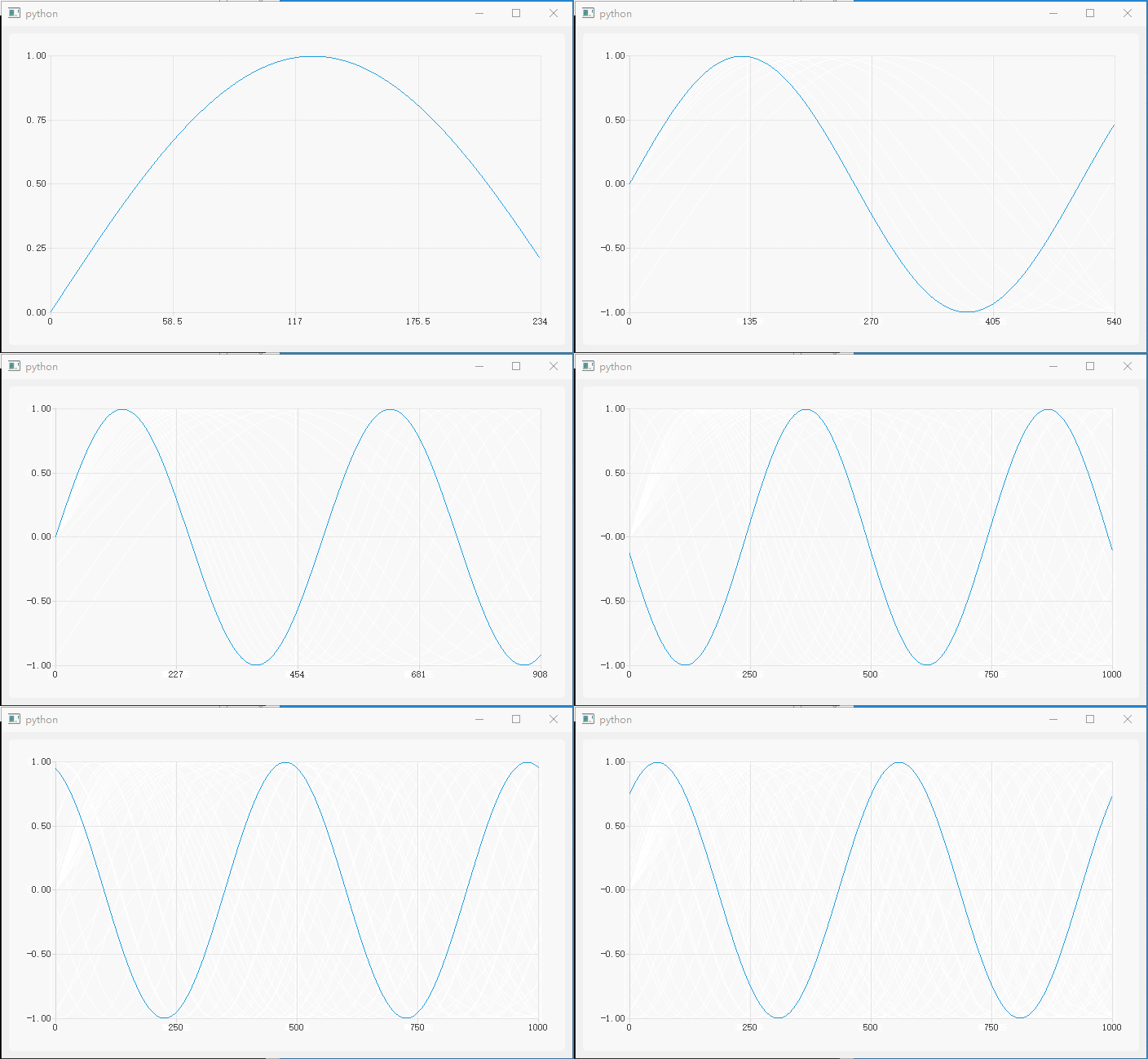
代码:
import os import sys import math import array from PyQt5.QtCore import Qt, QTimer, QPointF from PyQt5.QtGui import QPolygonF from PyQt5.QtWidgets import QApplication, QMainWindow from PyQt5.QtChart import QChart, QChartView, QLineSeries import numpy as np class DemoWindow(QMainWindow): def __init__(self, parent=None): super(DemoWindow, self).__init__(parent=parent) self.plotChart = QChart() self.plotChart.legend().hide() self.plotView = QChartView(self.plotChart) self.setCentralWidget(self.plotView) self.plotCurve = QLineSeries() self.plotCurve.setUseOpenGL(True) self.plotCurve.pen().setColor(Qt.red) self.plotChart.addSeries(self.plotCurve) self.plotChart.createDefaultAxes() self.plotChart.axisX().setLabelFormat('%g') self.RecvData = array.array('f') # 存储接收到的传感器数据 self.RecvIndx = 0 self.tmrData = QTimer() # 模拟传感器传送过来数据 self.tmrData.setInterval(3) self.tmrData.timeout.connect(self.on_tmrData_timeout) self.tmrData.start() self.tmrPlot = QTimer() self.tmrPlot.setInterval(100) self.tmrPlot.timeout.connect(self.on_tmrPlot_timeout) self.tmrPlot.start() def on_tmrData_timeout(self): val = math.sin(2*3.14 / 500 * self.RecvIndx) self.RecvData.append(val) self.RecvIndx += 1 def series_to_polyline(self, xdata, ydata): """Convert series data to QPolygon(F) polyline This code is derived from PythonQwt's function named `qwt.plot_curve.series_to_polyline`""" size = len(xdata) polyline = QPolygonF(size) pointer = polyline.data() dtype, tinfo = np.float, np.finfo # integers: = np.int, np.iinfo pointer.setsize(2*polyline.size()*tinfo(dtype).dtype.itemsize) memory = np.frombuffer(pointer, dtype) memory[:(size-1)*2+1:2] = xdata memory[1:(size-1)*2+2:2] = ydata return polyline def on_tmrPlot_timeout(self): self.RecvData = self.RecvData[-1000:] plotData = self.series_to_polyline(range(len(self.RecvData)), self.RecvData) self.plotCurve.replace(plotData) self.plotChart.axisX().setMax(len(plotData)) self.plotChart.axisY().setRange(min(self.RecvData), max(self.RecvData)) if __name__ == '__main__': app = QApplication(sys.argv) window = DemoWindow() window.show() window.resize(700, 400) sys.exit(app.exec_()) Supplement 1 Oct 15, 2018
我把代码精简了一下,从而更精确定位问题的原因,发现代码精简到下面这种程度还是会内存泄漏
看起来是 PyQtCharts 中的 QLineSeries.replace()方法使用 QPolygonF 类型参数调用时就会内存泄漏
``` python
import sys
from PyQt5.QtCore import QTimer
from PyQt5.QtGui import QPolygonF
from PyQt5.QtWidgets import QApplication, QMainWindow
from PyQt5.QtChart import QChart, QChartView, QLineSeries
class DemoWindow(QMainWindow):
→→→→def __init__(self, parent=None):
→→→→→→→→super(DemoWindow, self).__init__(parent=parent)
→→→→→→→→self.plotChart = QChart()
→→→→→→→→self.plotChart.legend().hide()
→→→→→→→→self.plotView = QChartView(self.plotChart)
→→→→→→→→self.setCentralWidget(self.plotView)
→→→→→→→→self.plotCurve = QLineSeries()
→→→→→→→→self.plotChart.addSeries(self.plotCurve)
→→→→→→→→self.plotChart.createDefaultAxes()
→→→→→→→→self.polyline = QPolygonF(1000)
→→→→→→→→self.tmrPlot = QTimer()
→→→→→→→→self.tmrPlot.setInterval(100)
→→→→→→→→self.tmrPlot.timeout.connect(self.on_tmrPlot_timeout)
→→→→→→→→self.tmrPlot.start()
→→→→def on_tmrPlot_timeout(self):
→→→→→→→→self.plotCurve.replace(self.polyline)
if __name__ == '__main__':
→→→→app = QApplication(sys.argv)
→→→→win = DemoWindow()
→→→→win.show()
→→→→sys.exit(app.exec_())
```
看起来是 PyQtCharts 中的 QLineSeries.replace()方法使用 QPolygonF 类型参数调用时就会内存泄漏
``` python
import sys
from PyQt5.QtCore import QTimer
from PyQt5.QtGui import QPolygonF
from PyQt5.QtWidgets import QApplication, QMainWindow
from PyQt5.QtChart import QChart, QChartView, QLineSeries
class DemoWindow(QMainWindow):
→→→→def __init__(self, parent=None):
→→→→→→→→super(DemoWindow, self).__init__(parent=parent)
→→→→→→→→self.plotChart = QChart()
→→→→→→→→self.plotChart.legend().hide()
→→→→→→→→self.plotView = QChartView(self.plotChart)
→→→→→→→→self.setCentralWidget(self.plotView)
→→→→→→→→self.plotCurve = QLineSeries()
→→→→→→→→self.plotChart.addSeries(self.plotCurve)
→→→→→→→→self.plotChart.createDefaultAxes()
→→→→→→→→self.polyline = QPolygonF(1000)
→→→→→→→→self.tmrPlot = QTimer()
→→→→→→→→self.tmrPlot.setInterval(100)
→→→→→→→→self.tmrPlot.timeout.connect(self.on_tmrPlot_timeout)
→→→→→→→→self.tmrPlot.start()
→→→→def on_tmrPlot_timeout(self):
→→→→→→→→self.plotCurve.replace(self.polyline)
if __name__ == '__main__':
→→→→app = QApplication(sys.argv)
→→→→win = DemoWindow()
→→→→win.show()
→→→→sys.exit(app.exec_())
```
 | 1 laqow Oct 15, 2018 via Android 你这个 self.RecvData.append(val)只进不出的内存不就越来越大 |
 | 3 justou Oct 15, 2018 我这里试了一下, 这一行 self.plotCurve.replace(plotData)导致内存持续增长, 注释掉就不会, 怀疑是 pyqt 有问题, 可以用 C++ Qt 再验证下... |
 | 4 XIVN1987 OP @justou 不是的,因为把数据构建方式改成下面这样子,其他不变,,就不会有内存泄漏 ``` python def series_to_polyline(self, xdata, ydata): polyline = [] for i,d in enumerate(ydata): polyline.append(QPointF(i,d)) return polyline ``` |
| 6 justou Oct 15, 2018  1 1 原始的 polyline 是 Qt 的 QPolygonF, 你修改后的是 python 的 list, 你再试试在 series_to_polyline 里面完全不使用 numpy 对 QPolygonF 赋值, 内存一样一直涨, 所以排除是 numpy 的问题 def series_to_polyline(self, xdata, ydata): size = len(xdata) polyline = QPolygonF(size) return polyline |
| 7 XIVN1987 OP @justou 多谢指点 试了下,确实如此,, 看来跟 numpy 无关,就是使用 list[QPointF]作为绘图数据时能自动释放,使用 QPolygonF 作为绘图数据时无法自动释放内存,,我去搜下,看能不能手动释放 QPolygonF 占用的内存 |
| 8 justou Oct 15, 2018 用 C++Qt 试了下, 没有问题. 画复杂图形的话, pyqt 直接嵌入 matplotlib 来作图更容易, 相比来说, pyqtchart 太难用了 https://gist.github.com/justou/1fe72187b21af835cf633a37b06e9d74 链接: https://pan.baidu.com/s/15sbdoFpUnbG9rYGnWvtxFg 提取码: cmgj |
| 9 justou Oct 15, 2018 补充下信息: 我用的 PyQt5 (PyQtChart) 5.11.3, C++Qt 5.10.1 5.9.0 之前这儿似乎是有内存泄露的: https://bugreports.qt.io/browse/QTBUG-58802 |
| 10 XIVN1987 OP @justou 多谢热心指点 首先,我觉得 matplotlib 不是用来做实时绘图用的,它首页说它用于“ produces publication quality figures ” QPolygon 导致内存泄漏的问题,我想到一个办法:不每次都新建一个 QPolygon、而是只建一个重复使用,每次更新显示时更新 QPolygon 的内容,,结果试了下内存还是泄漏(@_@;) |
 | 11 tuduweb Oct 16, 2018 楼主是做示波器吗… |
 Select Language